
Zap Documentation
Lightning-fast image compression for Windows
Download Warning
Why Edge or Chrome May Mark Zap as an “Unsafe Download”
When downloading Zap, you might see a warning in Microsoft Edge or Google Chrome saying the file “isn’t commonly downloaded” or “may be unsafe.” This does not mean the file contains anything harmful.
Modern browsers use automated reputation systems to decide whether a file is “trusted.” Because Zap is new and not yet widely downloaded—and because we’re still completing the code-signing verification process—browsers haven’t had time to recognize our installer as safe and well-established.
These browser warnings are meant to protect users from unknown or malicious software, but they can also create hurdles for smaller companies releasing new applications. As our user base grows and our code-signing certificate is finalized, these warnings will disappear automatically.
In the meantime, you can safely keep the download:
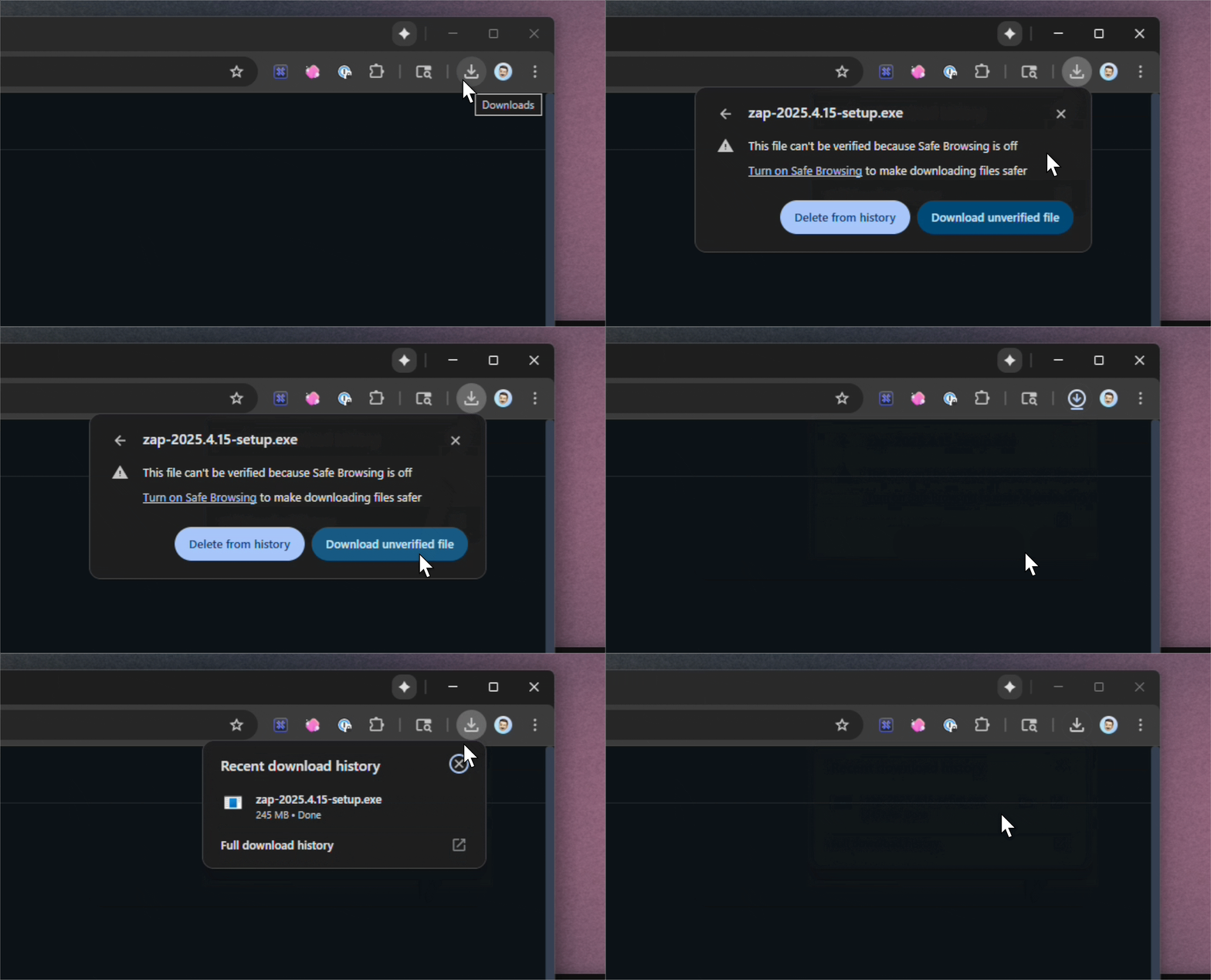
Chrome
Click the download warning → “Download unverified file”
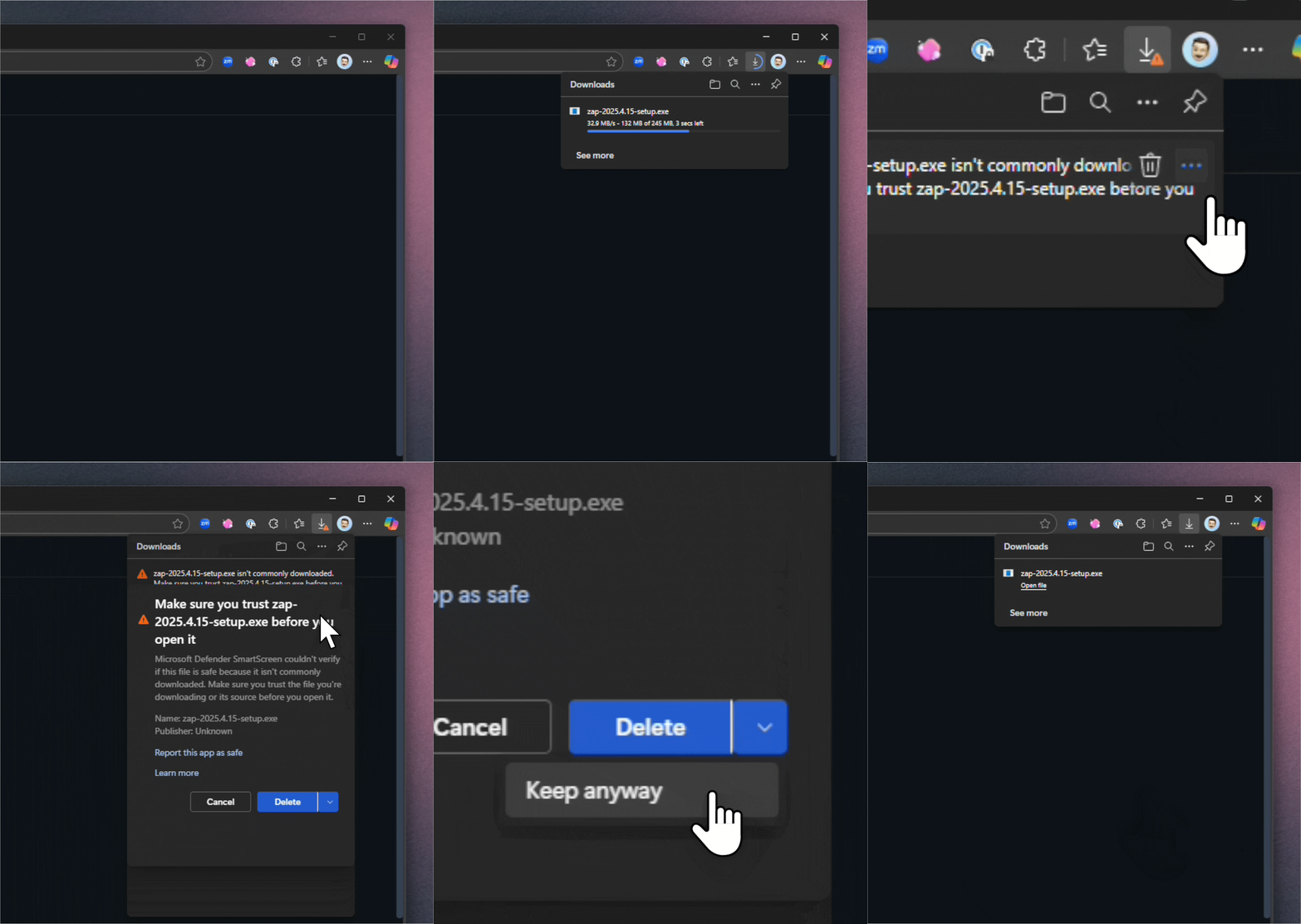
Edge
Click the three dots beside the download and press "keep, when the Make sure window appears, press down pointing icon "▼" besude Delete and press → “Keep anyway”
We appreciate your patience while we build up the required reputation in these browser security systems. Zap is safe to install, and we’re working to eliminate these warnings as quickly as possible.